
These are actual screenshots of the GeoRank platform every client site runs on.
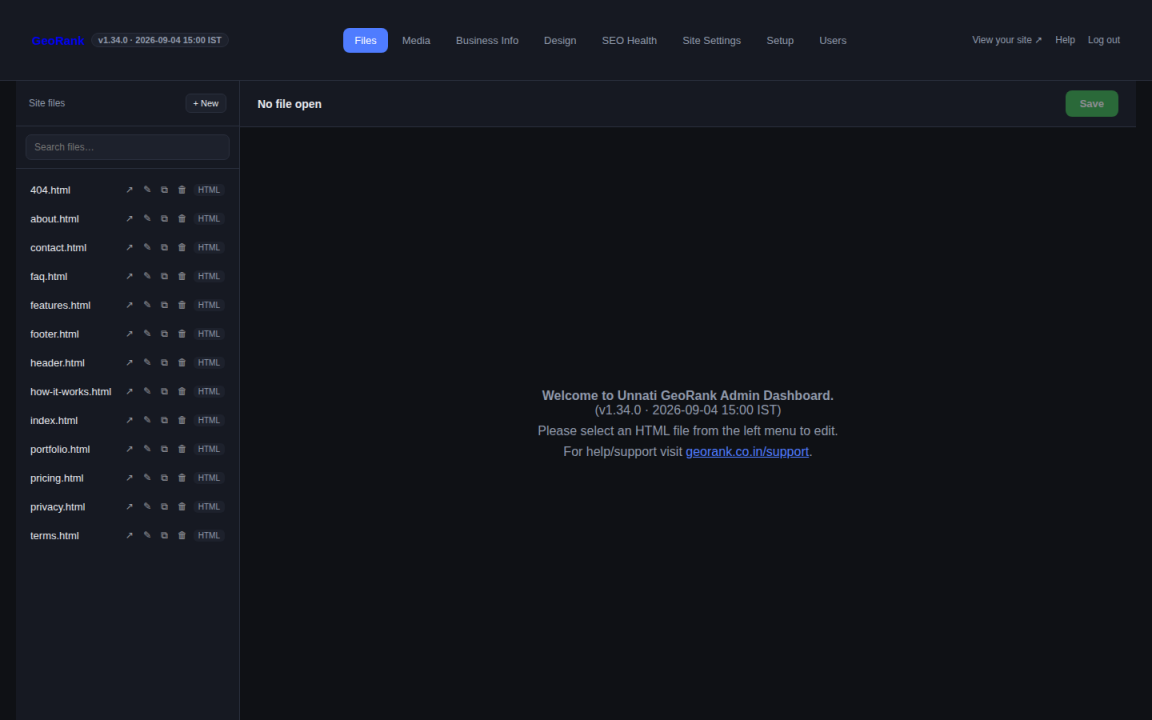
Log in and you’ll see every page of your site listed on the left — pages, header, footer and more. Click any page to edit its content, or use the Quick-Insert Blocks panel to drop in a gallery, FAQ, pricing table or image+text section without writing a line of code.
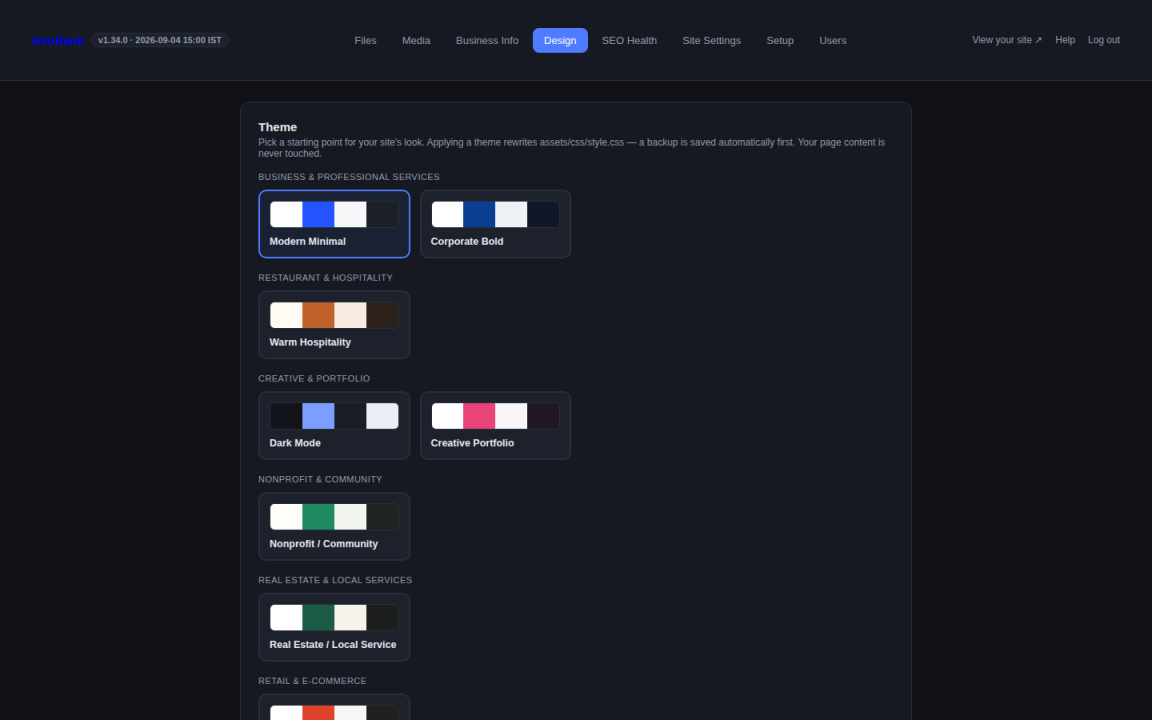
Choose from 8 professionally designed themes — Modern Minimal, Corporate Bold, Warm Hospitality, Dark Mode and more — then adjust colors, fonts and spacing without touching CSS. Applying a theme rewrites your stylesheet instantly; your page content is never touched.
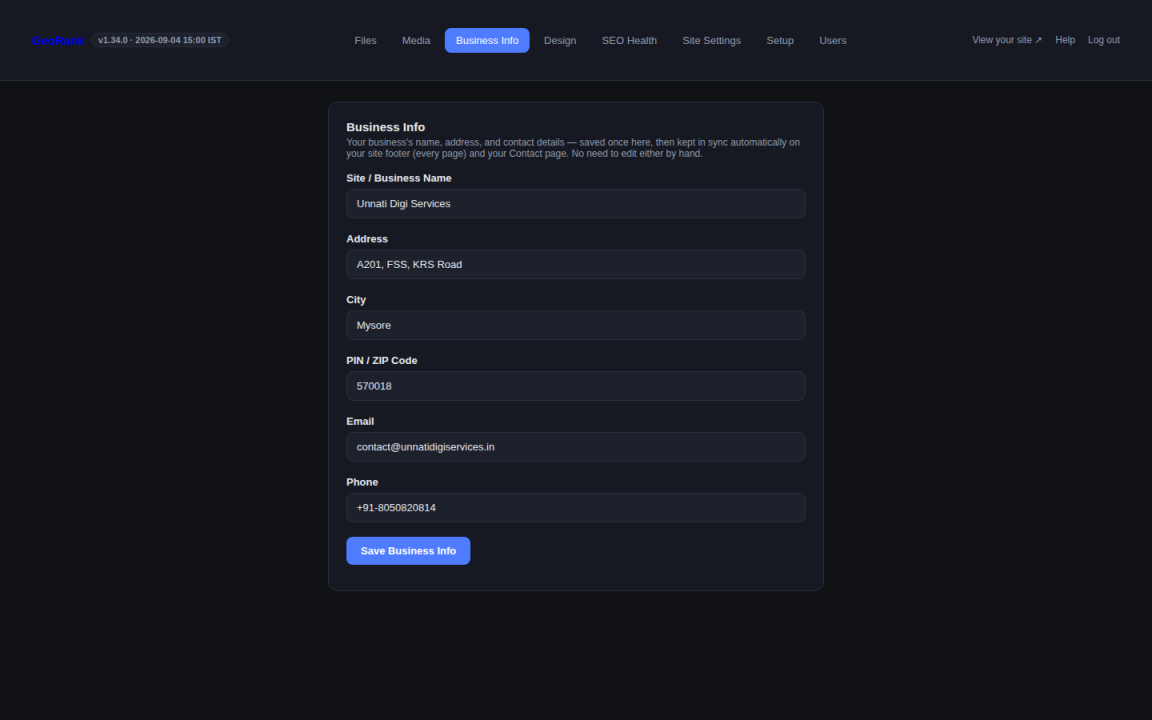
Your business name, address, phone and email live in one place — save it once and it automatically syncs to your site footer and Contact page on every save. No more hunting through pages to update a phone number.
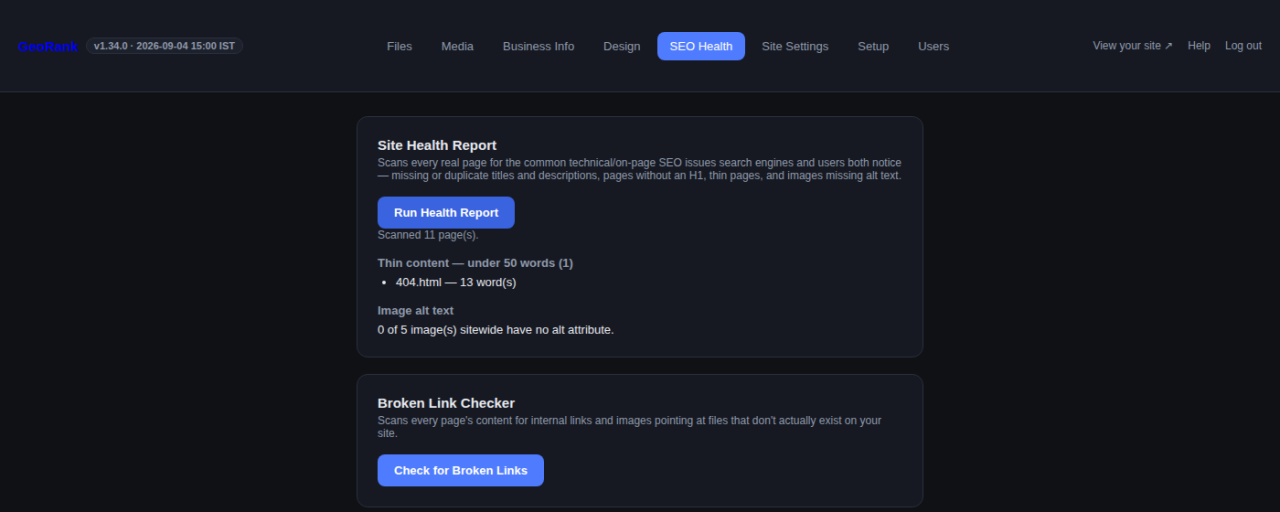
Run a one-click Site Health Report to catch missing titles, thin content and missing image alt text — the same technical SEO issues that quietly hurt rankings. A Broken Link Checker catches dead internal links before your visitors do.
Every GeoRank package — Starter through Prestige — comes with this same real admin dashboard.